
How Bosca works
Every small business has the shoebox: a year of receipts handed over at the worst possible moment. Bosca replaces it — receipts become structured, VAT-ready expense data the moment they're photographed, and your accountant sees them without a single email attachment.
The pieces
Bosca is a suite of three parts that share one job: get paper into clean data with as little typing as possible.
- The mobile app (iPhone & Android) — where receipts are captured, expenses are tracked, and reports are run. Everyone uses this, on every plan.
- AI scanning — every photo is read by an AI document model that extracts merchant, date, totals, VAT and individual line items, in seconds.
- The web portal — a browser dashboard for accountants (Business plan) to review, verify and approve their clients' receipts and invoices as they arrive.
Scanning: the core of everything
The Scan button sits in the middle of the app for a reason — it's the whole workflow for most receipts.
Got a backlog? AI Scan (from the Home screen) processes a stack of receipts in one batch — photograph them one after another and let the queue work through them.
See it in action — one receipt, start to finish
Step through with the arrows (or swipe on a phone) — click any screenshot to view it full size.
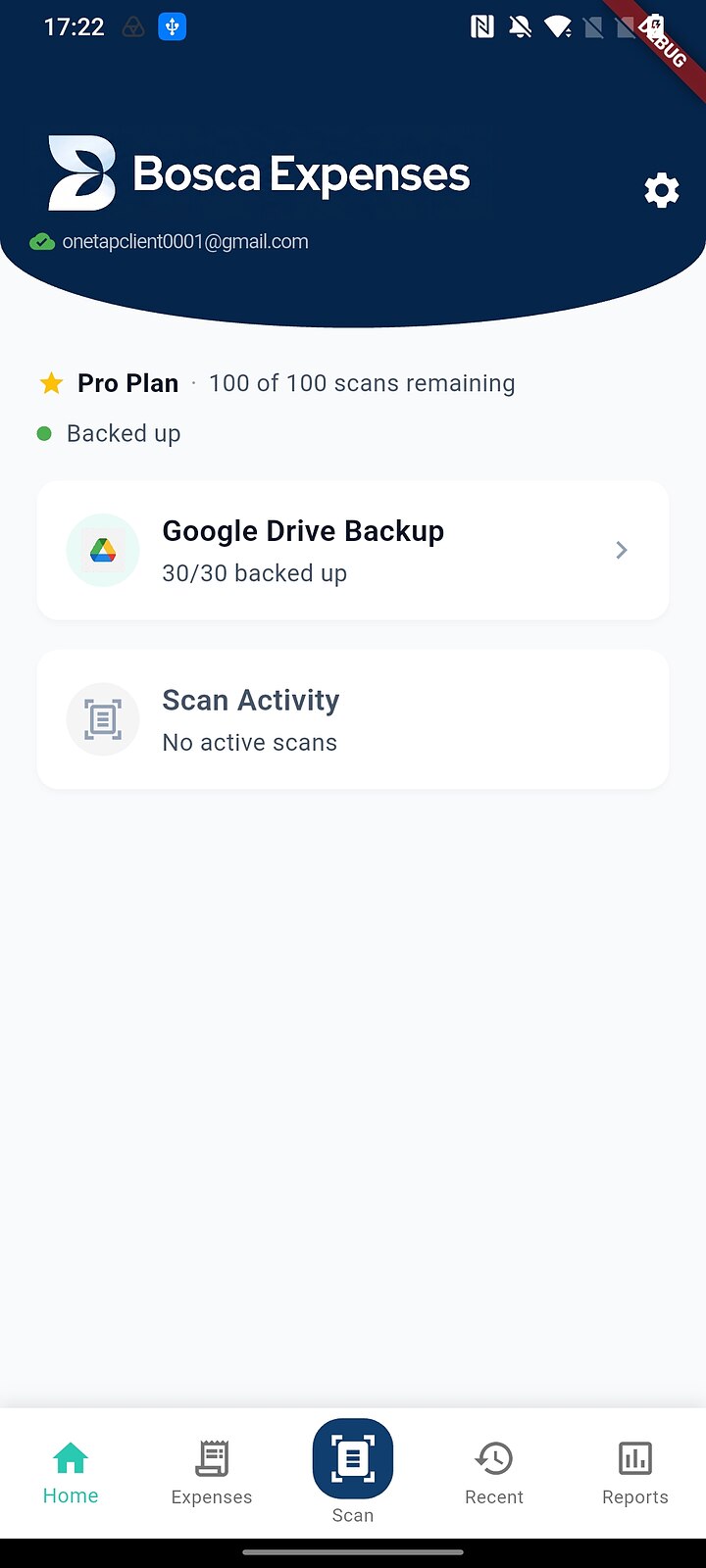
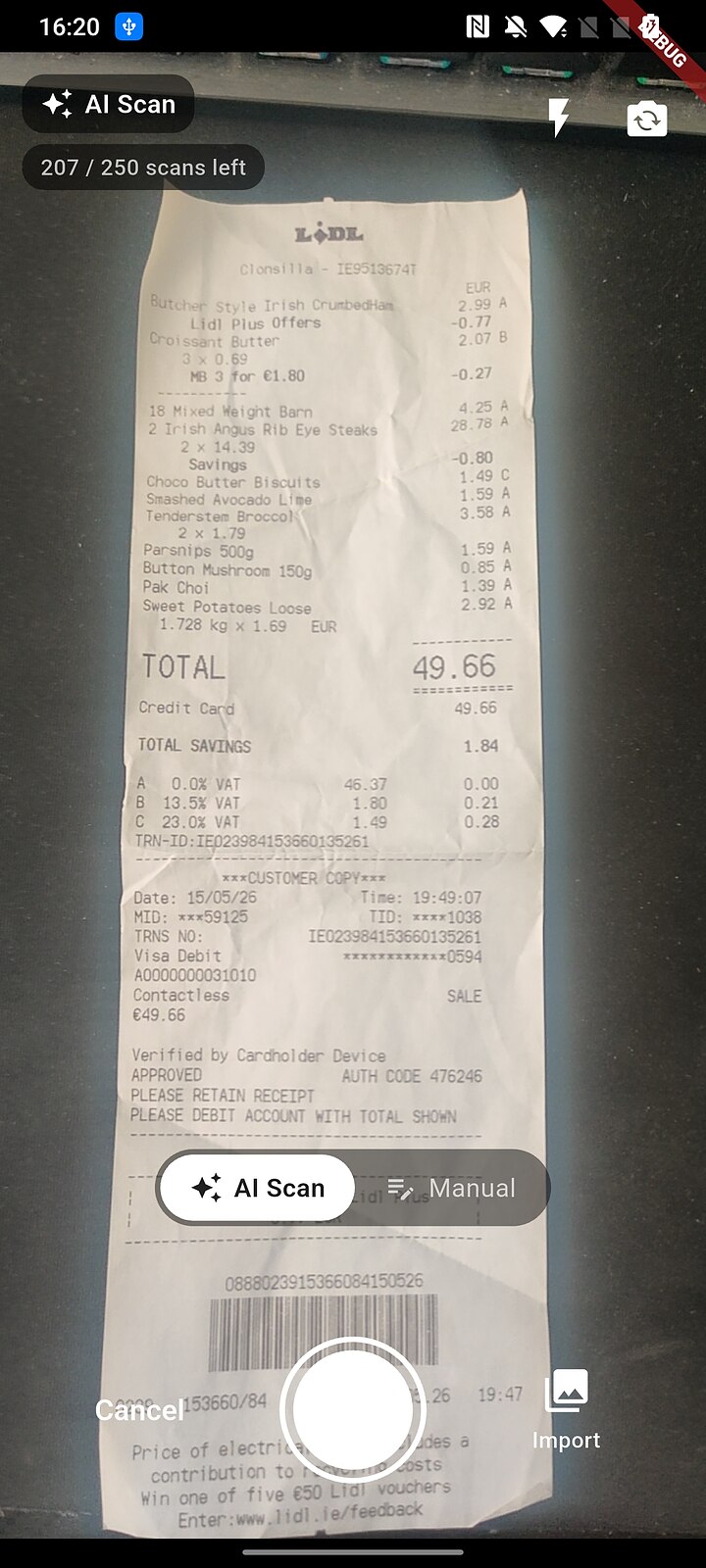
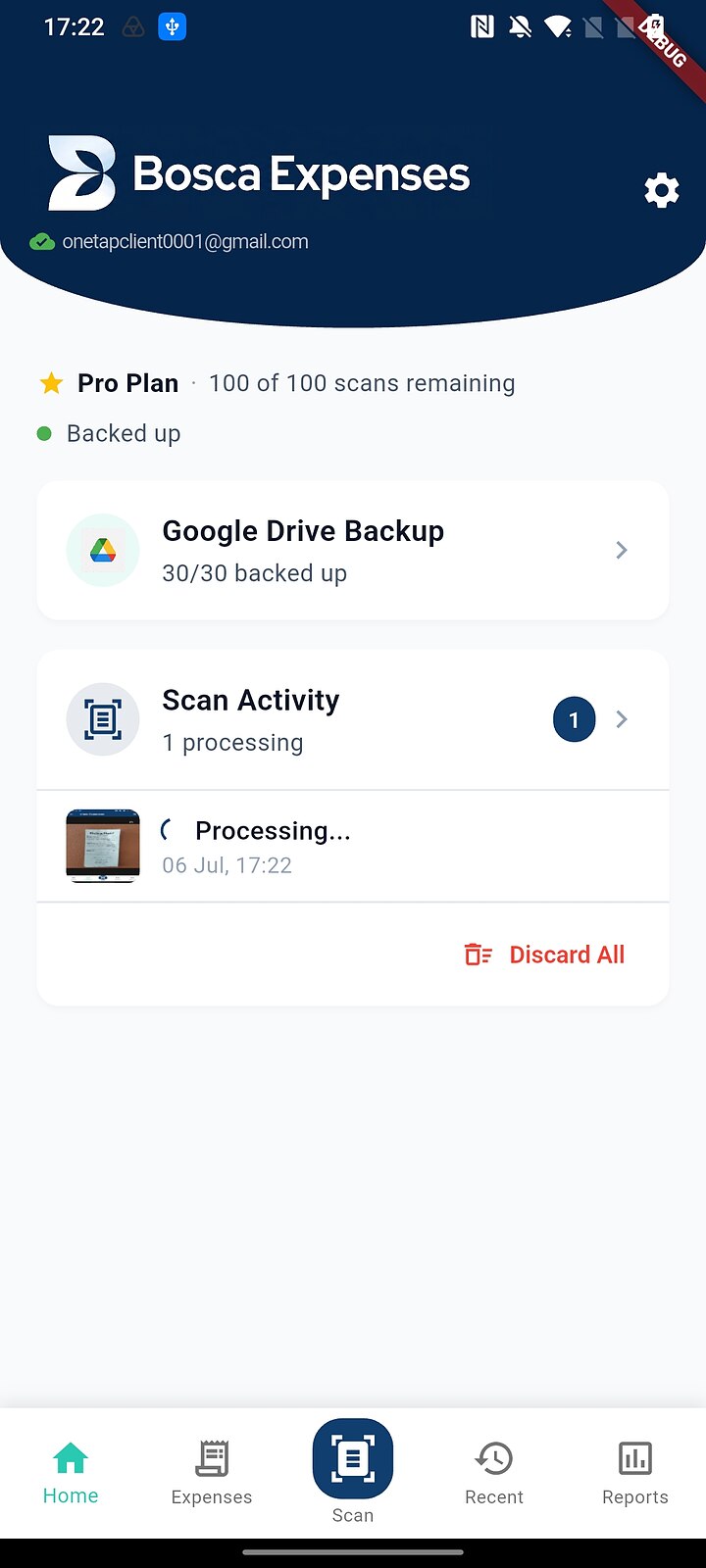
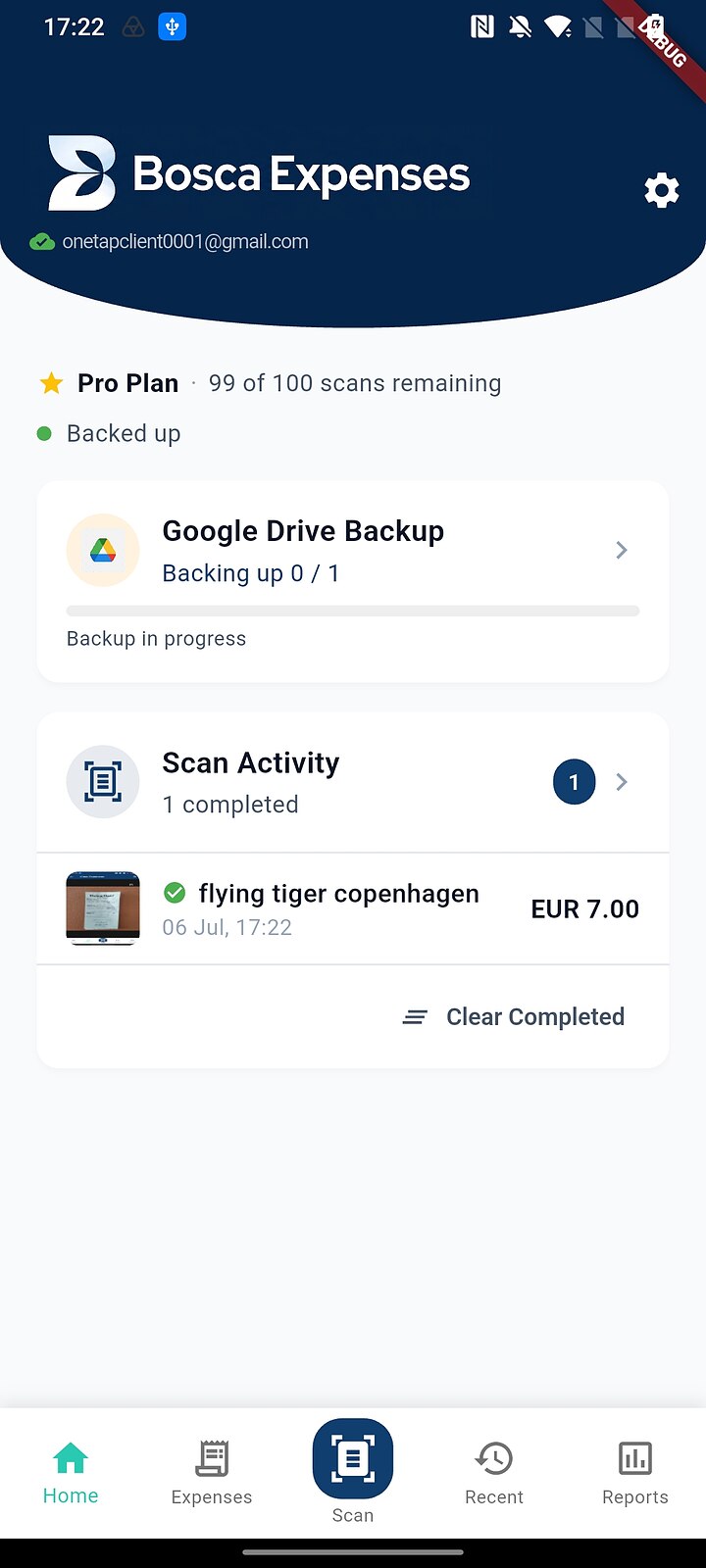
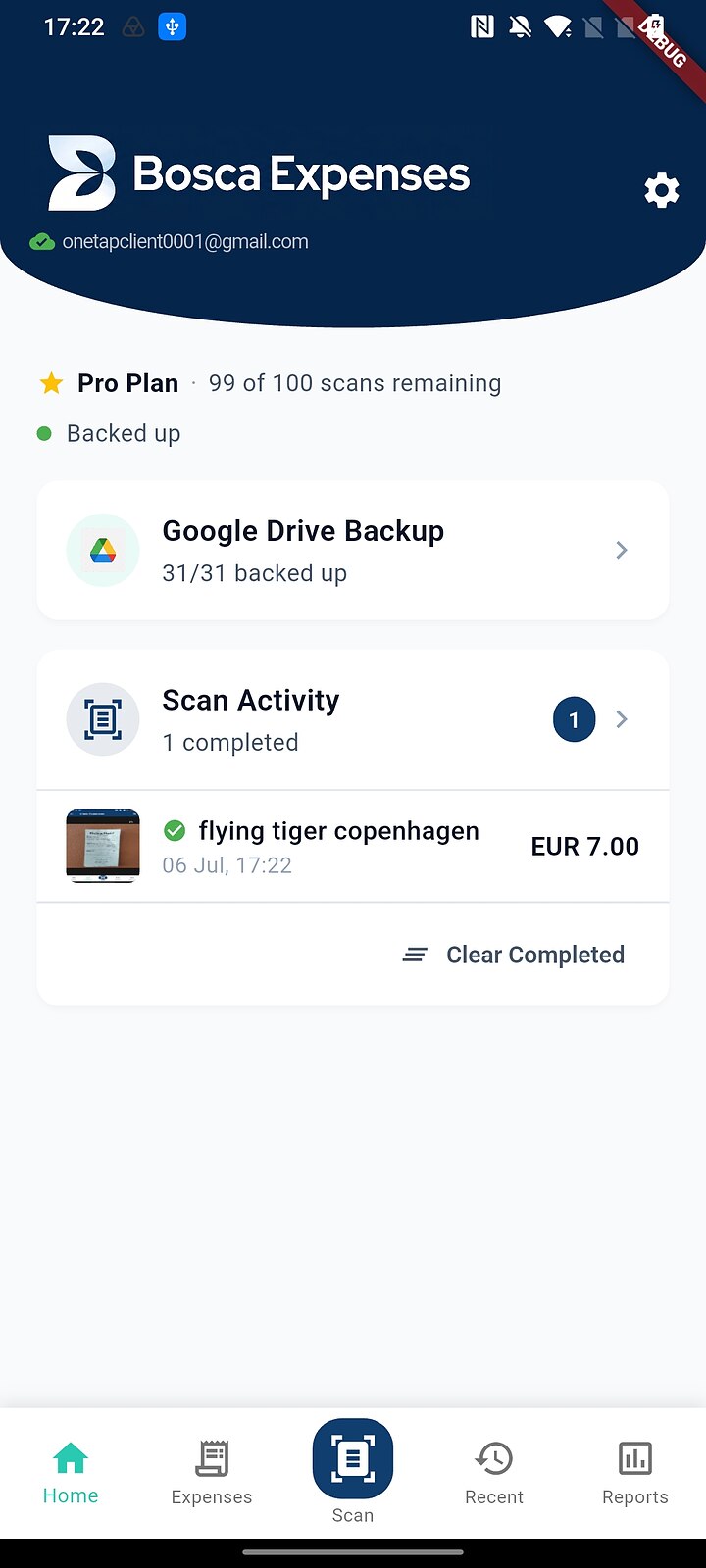
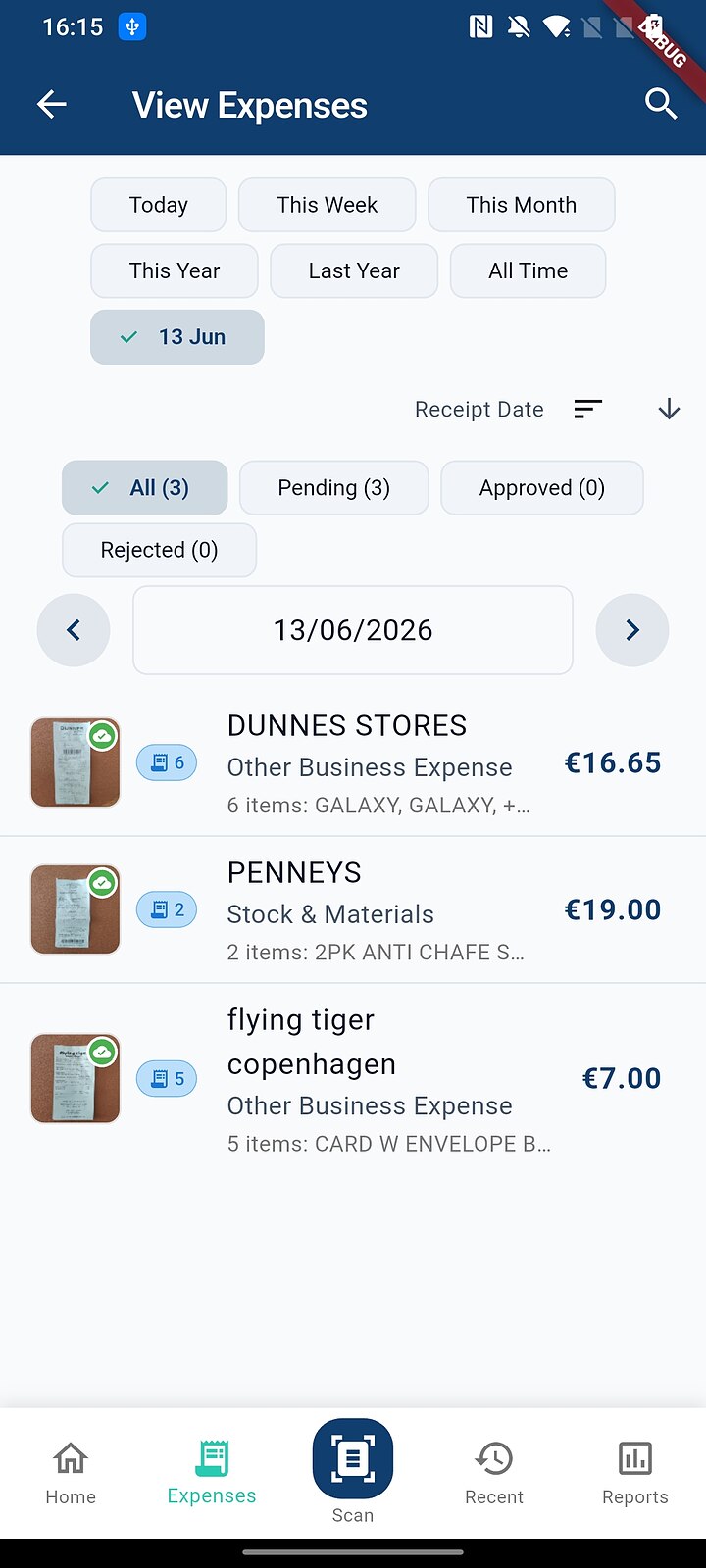
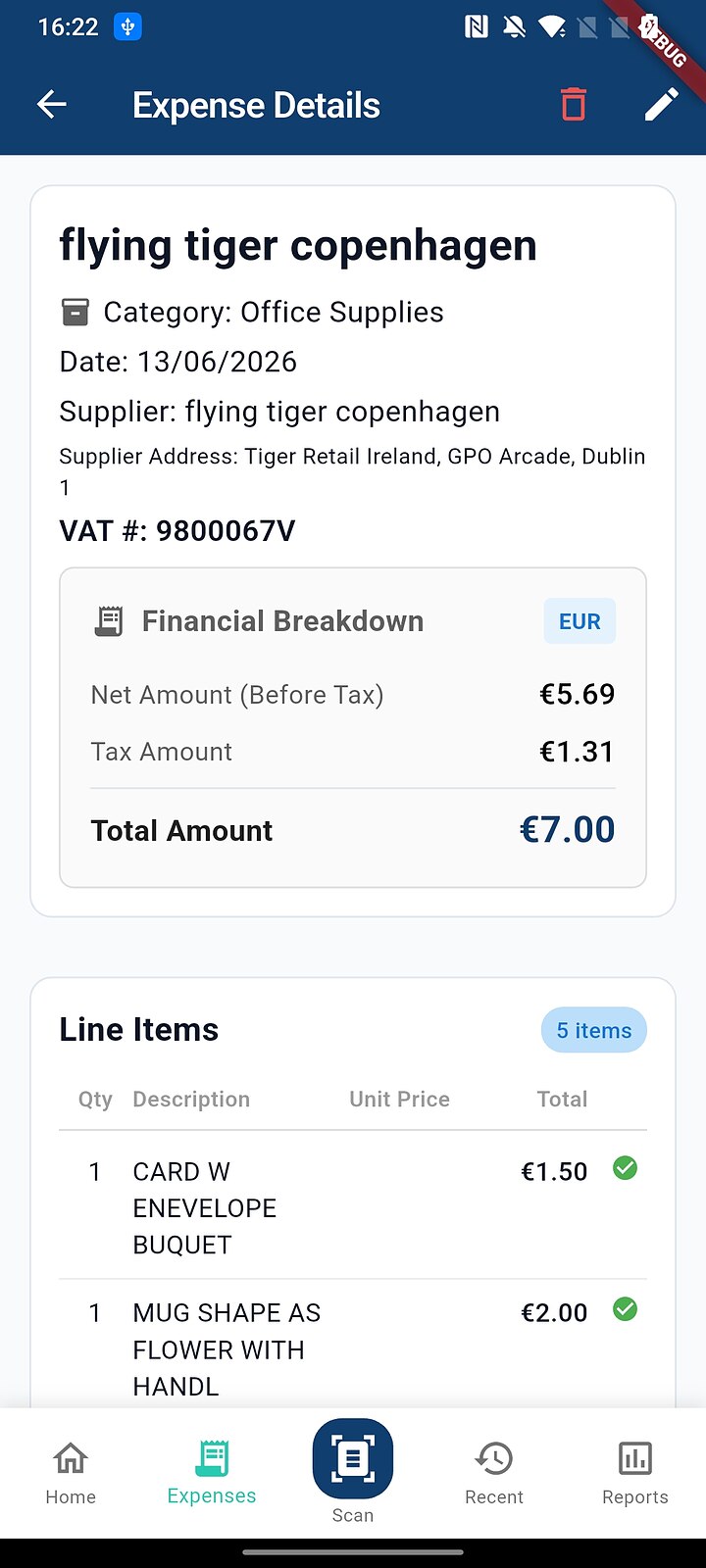
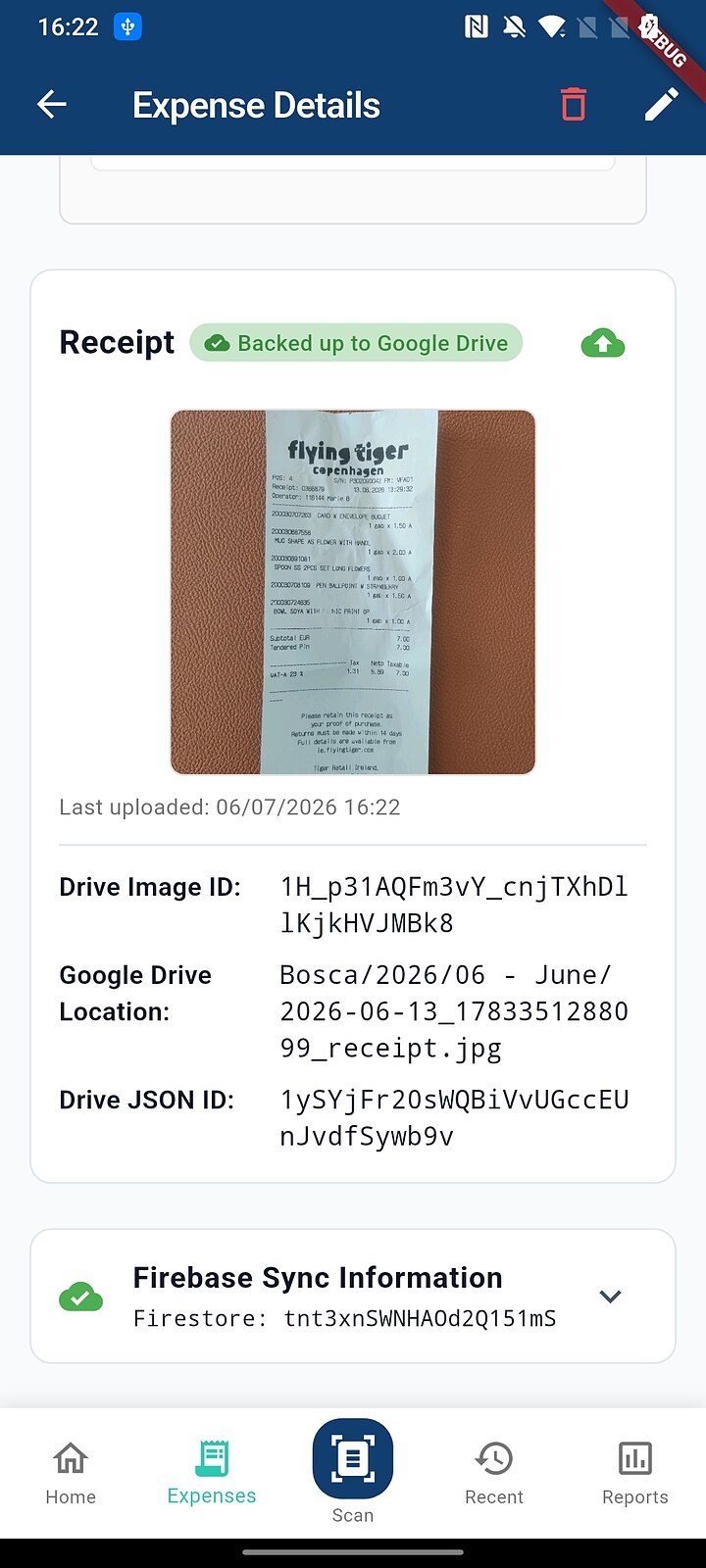
Total effort from till to ledger: one tap and one photo. Everything else happened on its own.
Business plan: the phone and the portal, in tandem
This is the heart of the system — two apps, two people, one shared source of truth.
One shared ledger: the client captures, the accountant verifies, both always see the same state.
A day in the life
- 9:15 — the client buys fuel, snaps the receipt at the till, and pockets their phone. Bosca has already read the merchant, amount and VAT; the receipt image and data sync to the cloud.
- 11:30 — the accountant opens the portal dashboard: new items are waiting, flagged by client. The dashboard shows pending counts, monthly spend, overdue invoices and the current VAT period at a glance.
- 11:32 — reviewing a receipt, the accountant sees the original image side-by-side with the extracted fields. Where the AI was less certain, the field is highlighted on the document itself, so checking it takes a glance, not a hunt. Keyboard shortcuts (approve, reject, next) make a stack of twenty receipts a two-minute job.
- 11:34 — one receipt is illegible, so it's rejected with a note. Back on the client's phone, its status updates — they re-scan it properly that afternoon.
- VAT deadline — no shoebox, no chase-up emails. The receipts were reviewed weeks ago, the day they happened; the accountant opens the VAT3 pack, transcribes the boxes, and publishes the reviewed purchases to Sage — or exports CSV for whatever ledger the practice runs.
Click or tap either screenshot to view it full size.
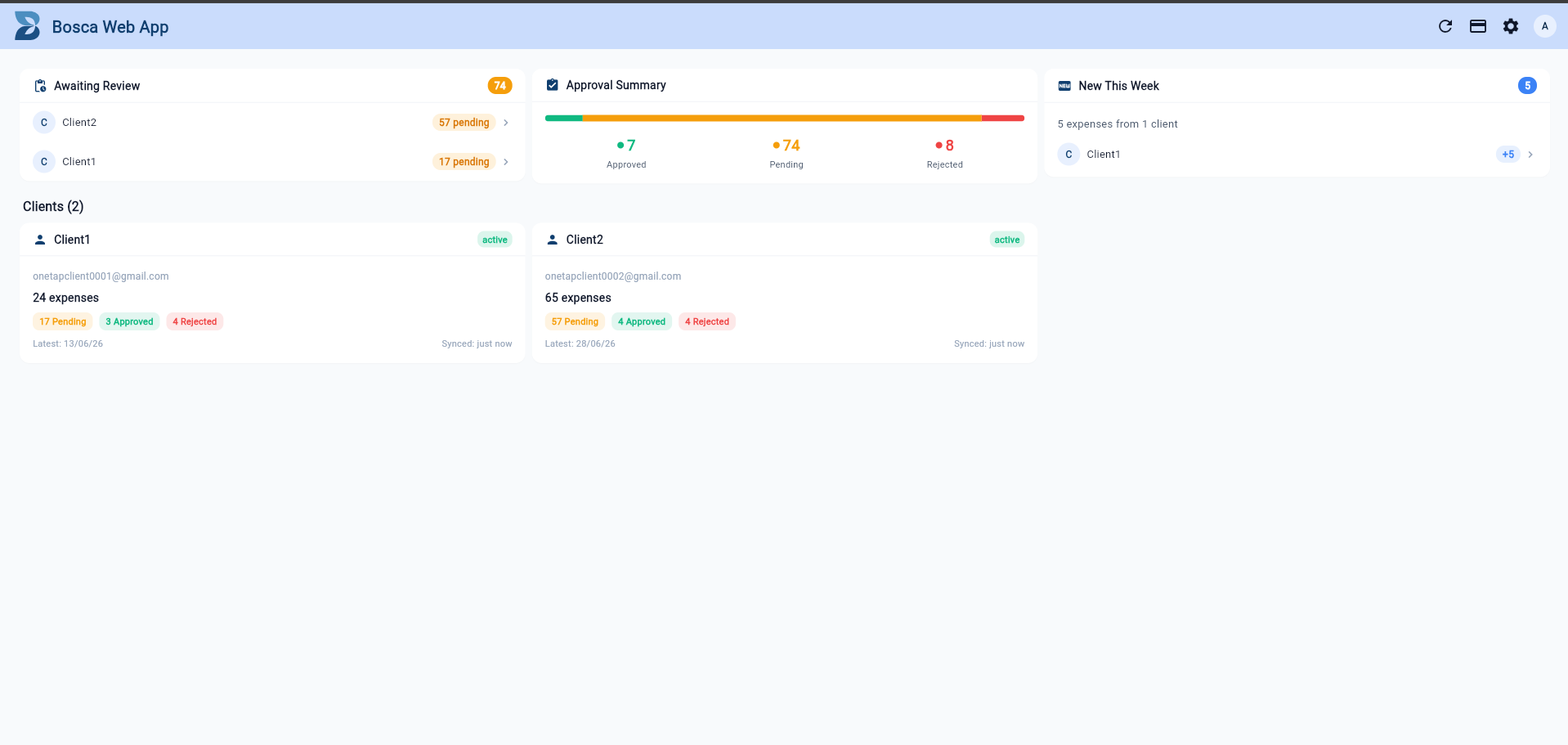
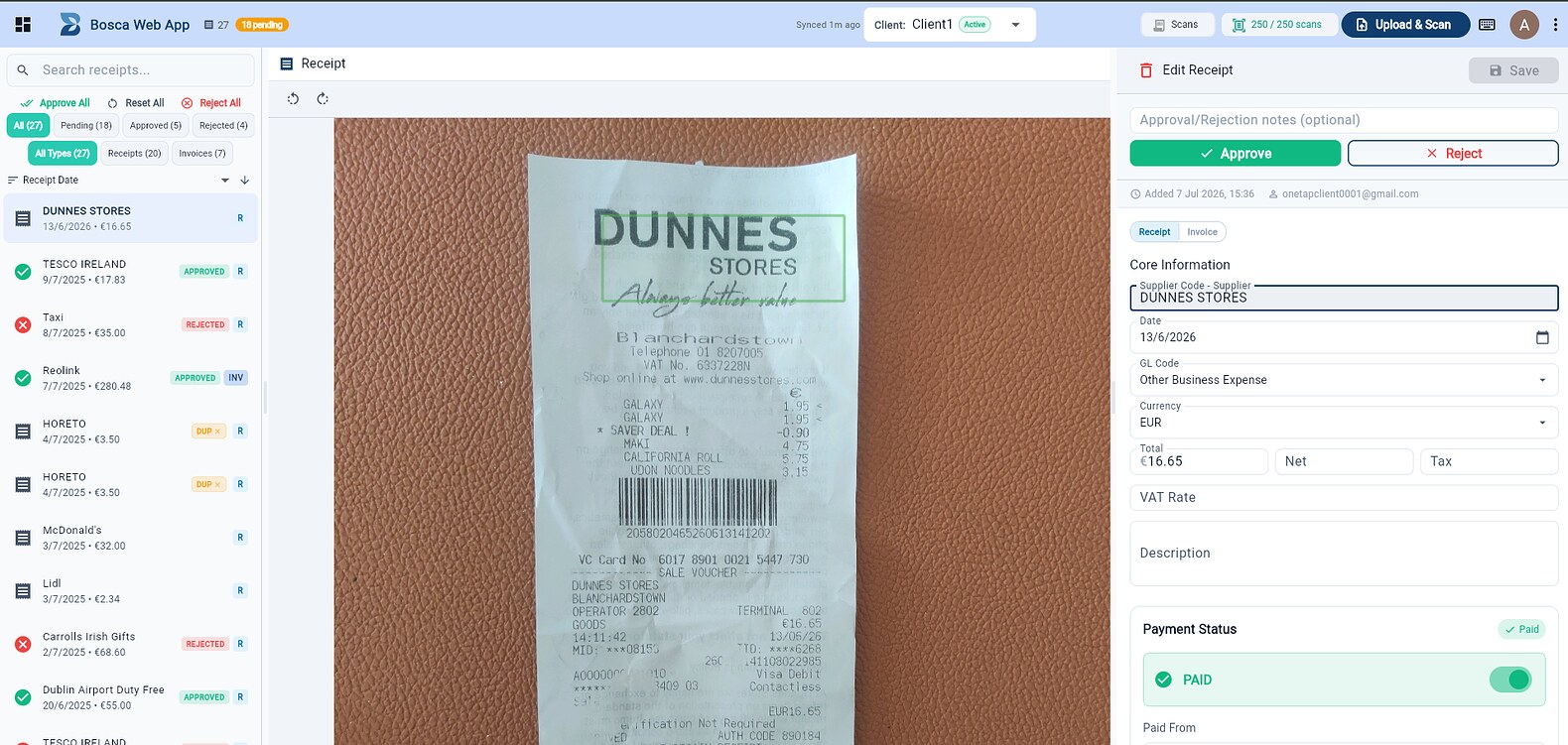
Joining takes one invite code and two minutes — see the connect to your accountant guide.
From receipts to returns
Because every receipt is VAT-classified the moment it's scanned, the portal builds the returns work as the year goes by.
What this does to the economics of a shoebox client, a VAT3 and an RTD — the numbers are on the accountants page.
Why this beats the shoebox
Ready to look closer?
See plans & pricing, browse the step-by-step guides, or jump straight into the alpha tester setup.