
Report a bug
Finding what breaks is the whole point of the alpha. The fastest way to tell us is built into the app.
Found a bug? Tell us — that's the whole point
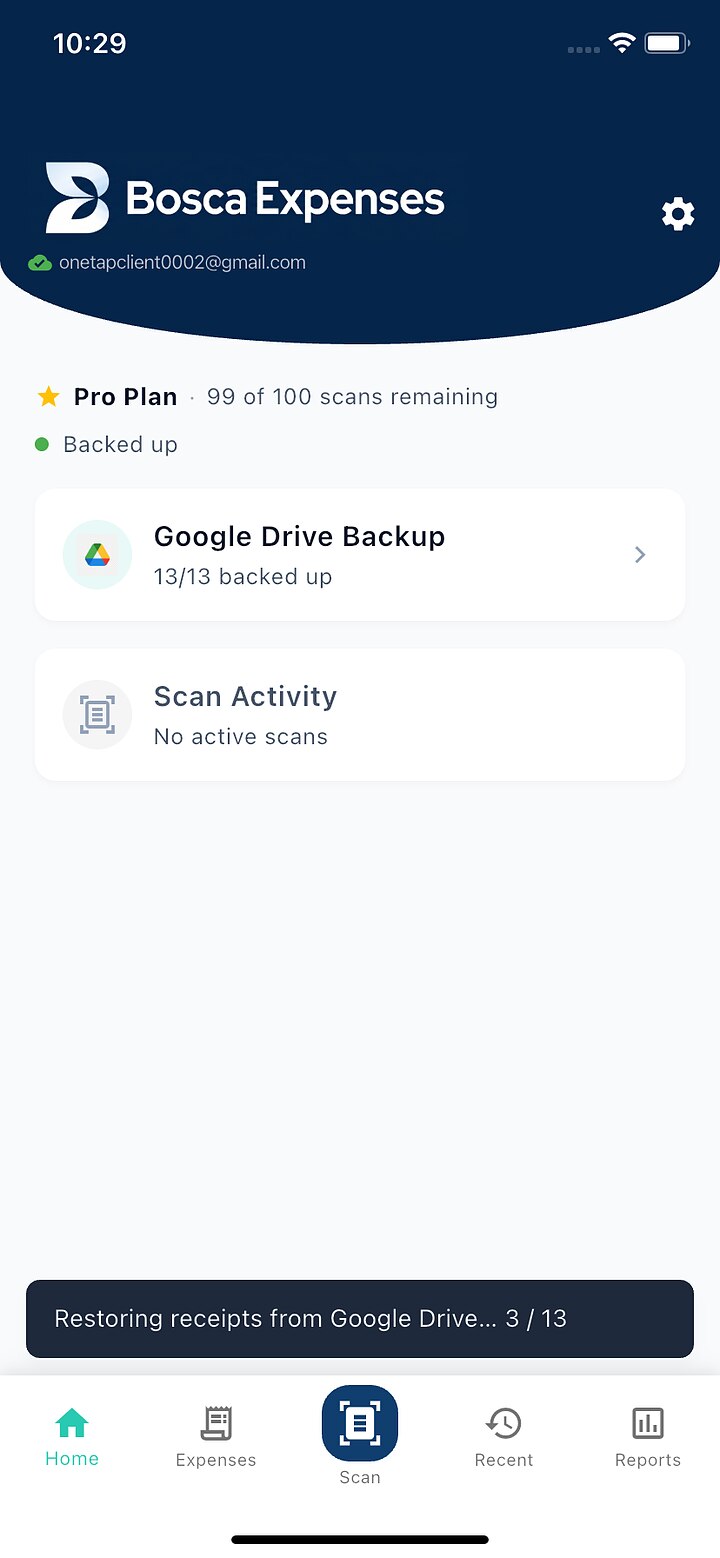
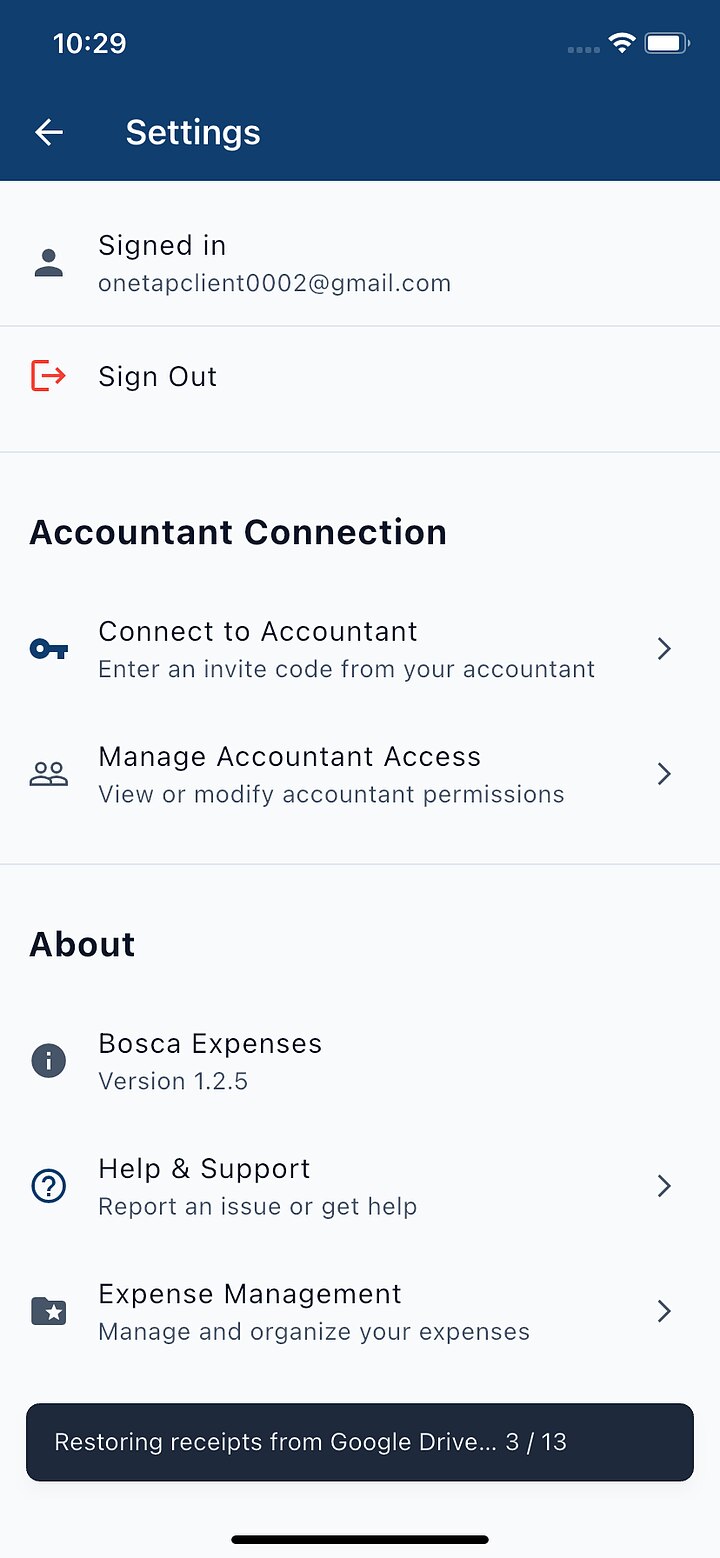
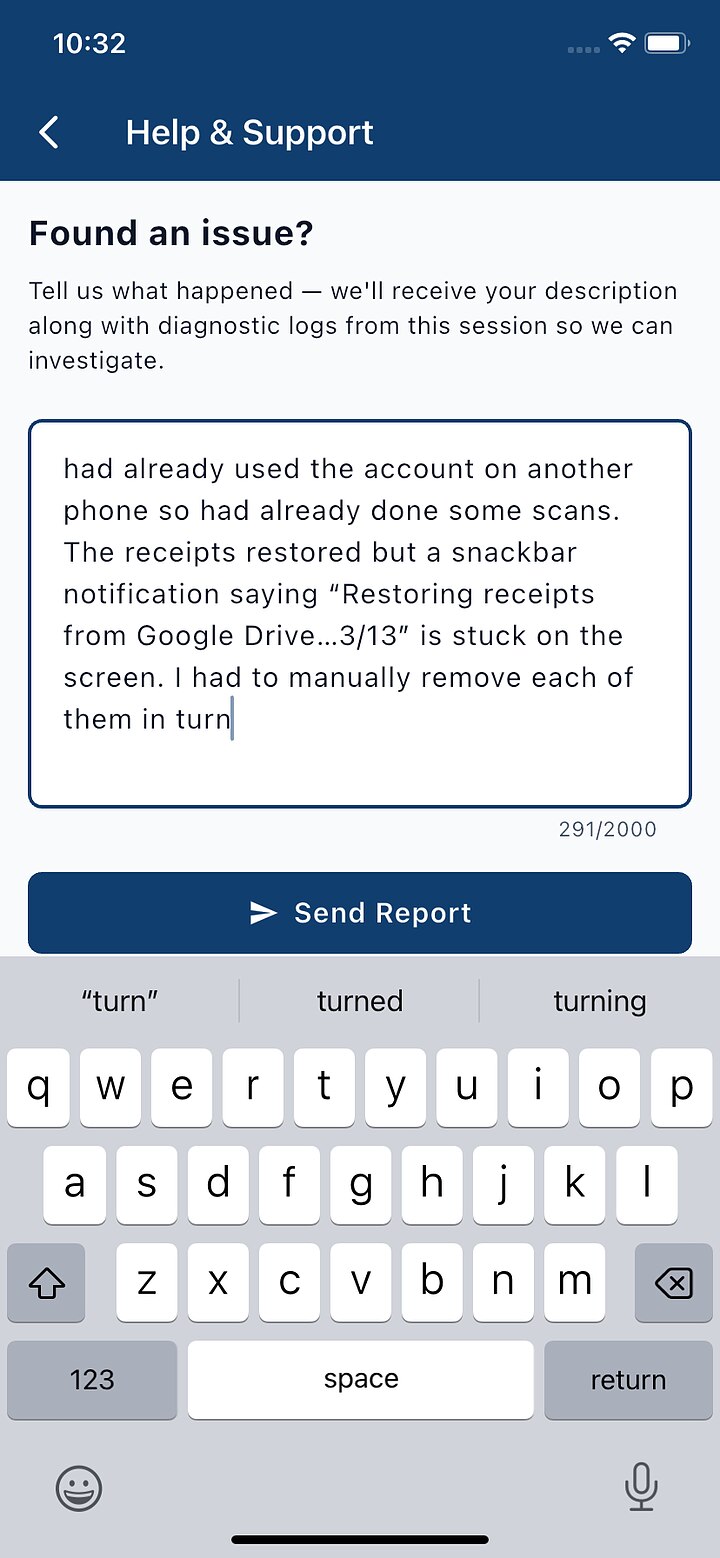
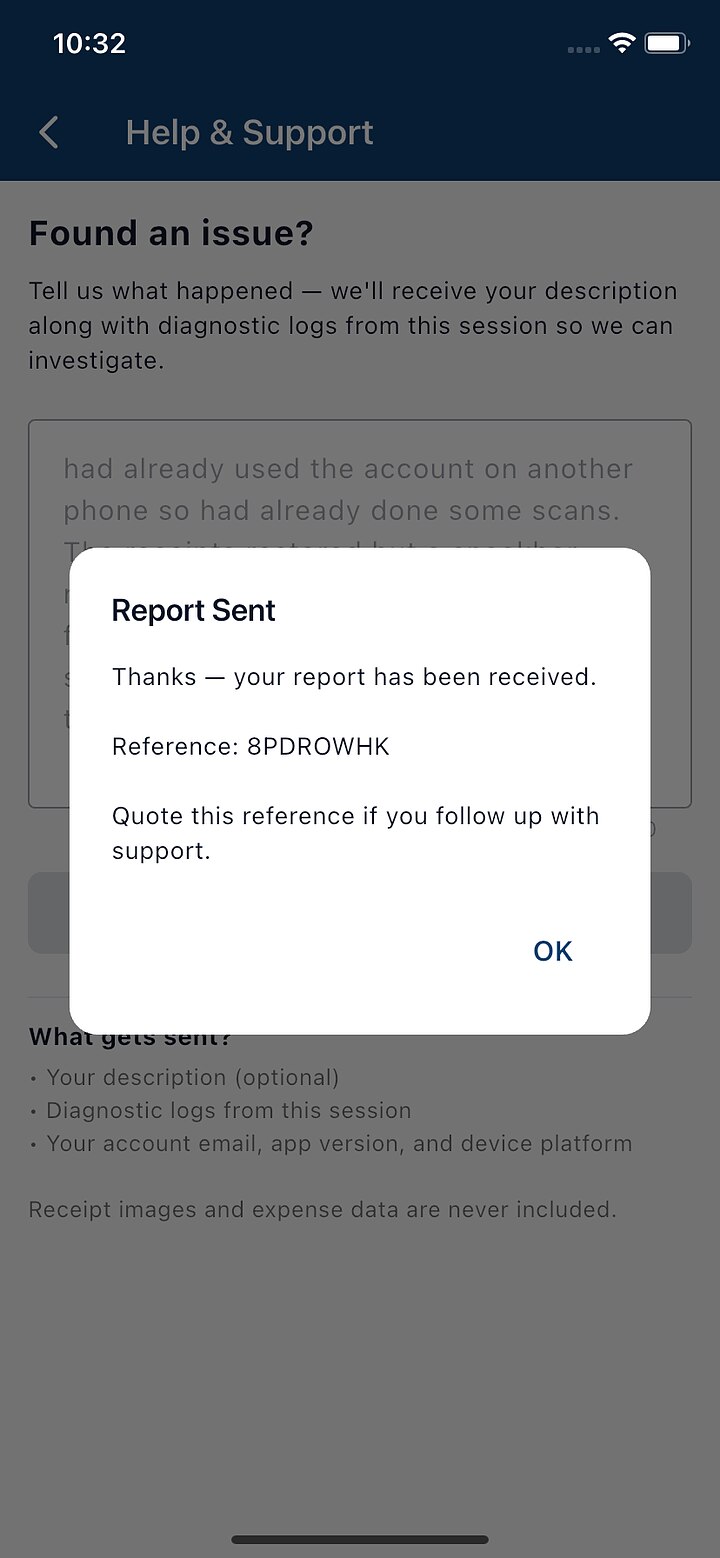
The fastest way is built into the app: Settings ⚙ → Help & Support → describe what happened → Send Report. Your description arrives with diagnostic logs from the session attached, which usually lets us find the fault without asking you anything else. You'll get a reference code — quote it if you follow up. (Receipt images and your expense data are never included.)
Prefer email? support@boscaexpenses.com works too — include:
- What you did — the steps, as best you remember them
- What happened vs. what you expected
- A screenshot or screen recording if you can grab one
- Your phone model (e.g. iPhone 14, Pixel 8)
No bug is too small — a confusing label or a button that feels wrong counts just as much as a crash. On iPhone, screenshotting inside the app and sharing via TestFlight works too.
Reporting from inside the app, step by step
Step through with the arrows (or swipe on your phone) — click any screenshot to view it full size.
More guides
Browse all the guides — or send us anything odd at support@boscaexpenses.com.